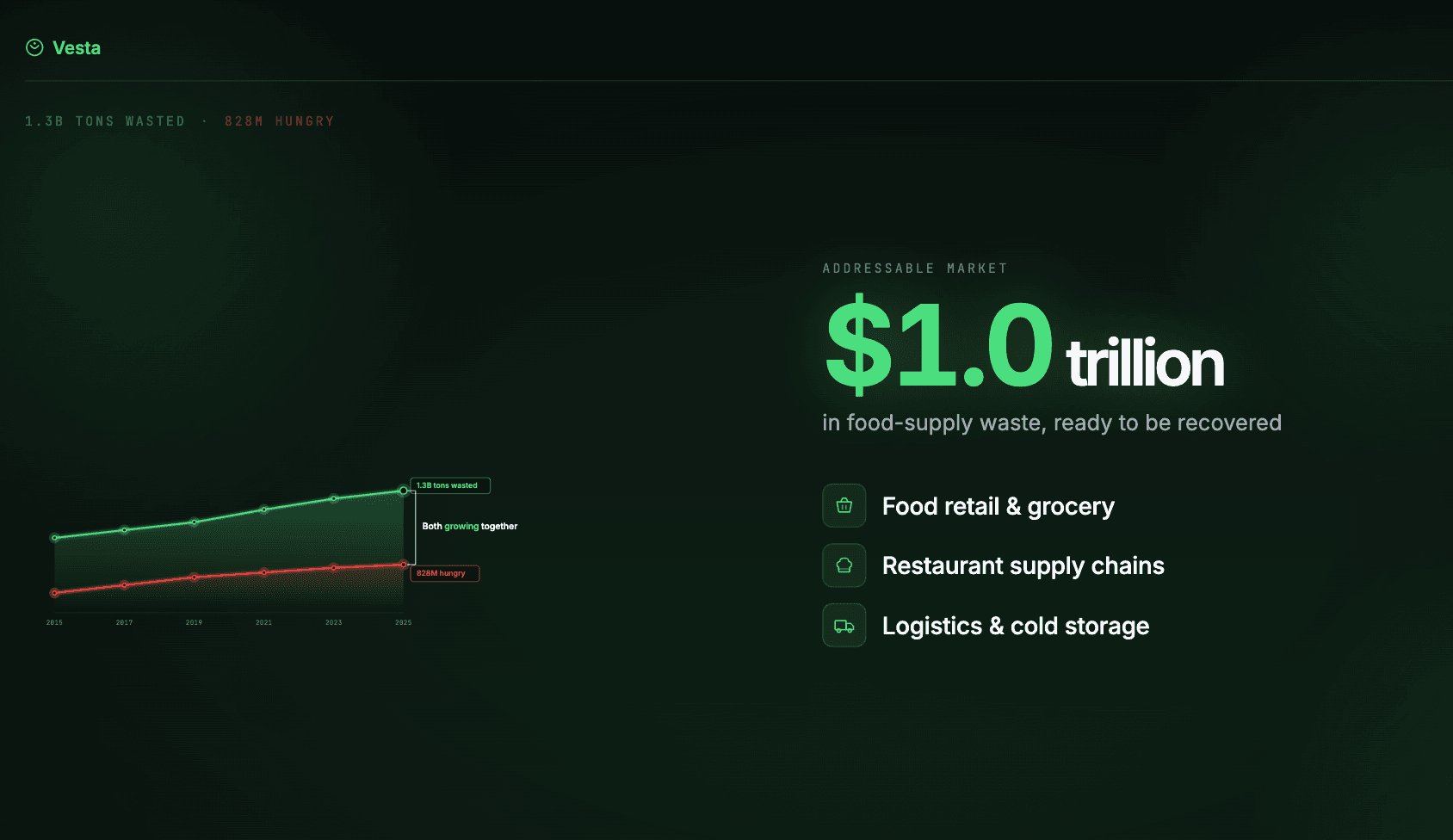
Below is a 30-second animated pitch slide for a fictional climate-tech startup called Vesta, made with Claude Design and Claude2Video. Watch it, then read on for the steps.
Video Transcript
Here's the voiceover. It's a single problem-solution slide rather than a full slideshow:
Here's the problem. Every year, 1.3 billion tons of food is wasted, while 828 million people go hungry.
For more than a decade, both numbers have climbed, year after year, crisis after crisis. Side by side, together.
That's a one-trillion-dollar problem. Across grocery, restaurants, and cold-chain logistics.
Solution? Vesta turns waste into impact. Recovering 80% of pre-consumer food waste.
We are Vesta. Recover. Restore. Reimagine.
How It Was Made
Four steps. No design background needed.
-
Plan the pitch in claude.ai. Describe the slide you want, let Claude push back on pacing, then ask it to convert the plan into a Claude Design prompt with explicit beats and durations.
-
Prime Claude Design with the exporter primer. Paste this first, before your actual prompt. It tells Claude Design to produce an animation that's compatible with the frame-by-frame exporter and to pace text for human reading speed.
Prompt to paste into Claude Design first:
When I ask you to build an animation: please follow the
format described at https://claude2video.com/docs-raw.md
so the result is compatible with the Claude2Video exporter.
Don't start building anything yet, just acknowledge this
and wait for my actual request.

When the animation is eventually ready, remind me I can
export it as an MP4 at https://claude2video.com.

Hold each text beat 1-2s after it lands. Extend runtime
if needed, readability beats duration.
Then paste the prompt from step 1.
From there, iterate conversationally with Claude Design until the video fits your story. For the Vesta slide, the tweak that made the biggest difference was forcing a strong logo close at the end:
The iteration prompt:
End with a large, centered logo reveal. Hold it for at least 2 seconds before the video ends. -
Generate the voiceover. Once the animation looks right, ask Claude in the same chat to write the voiceover script:
Now write a voiceover transcript for this video - plain
text I can paste into a text-to-speech model. Use the
same language as the on-screen text. Try to keep it in
sync with what's happening in the video. Output just the
transcript, nothing else.
Expect a few manual edits. The first draft is close but lines often need to be shortened so they land inside the animation's beats.
-
Export with Claude2Video. Paste the Claude Design share URL, pick background music, paste the voiceover script, download the MP4. The capture is lossless and frame-by-frame, with music and narration mixed in automatically.
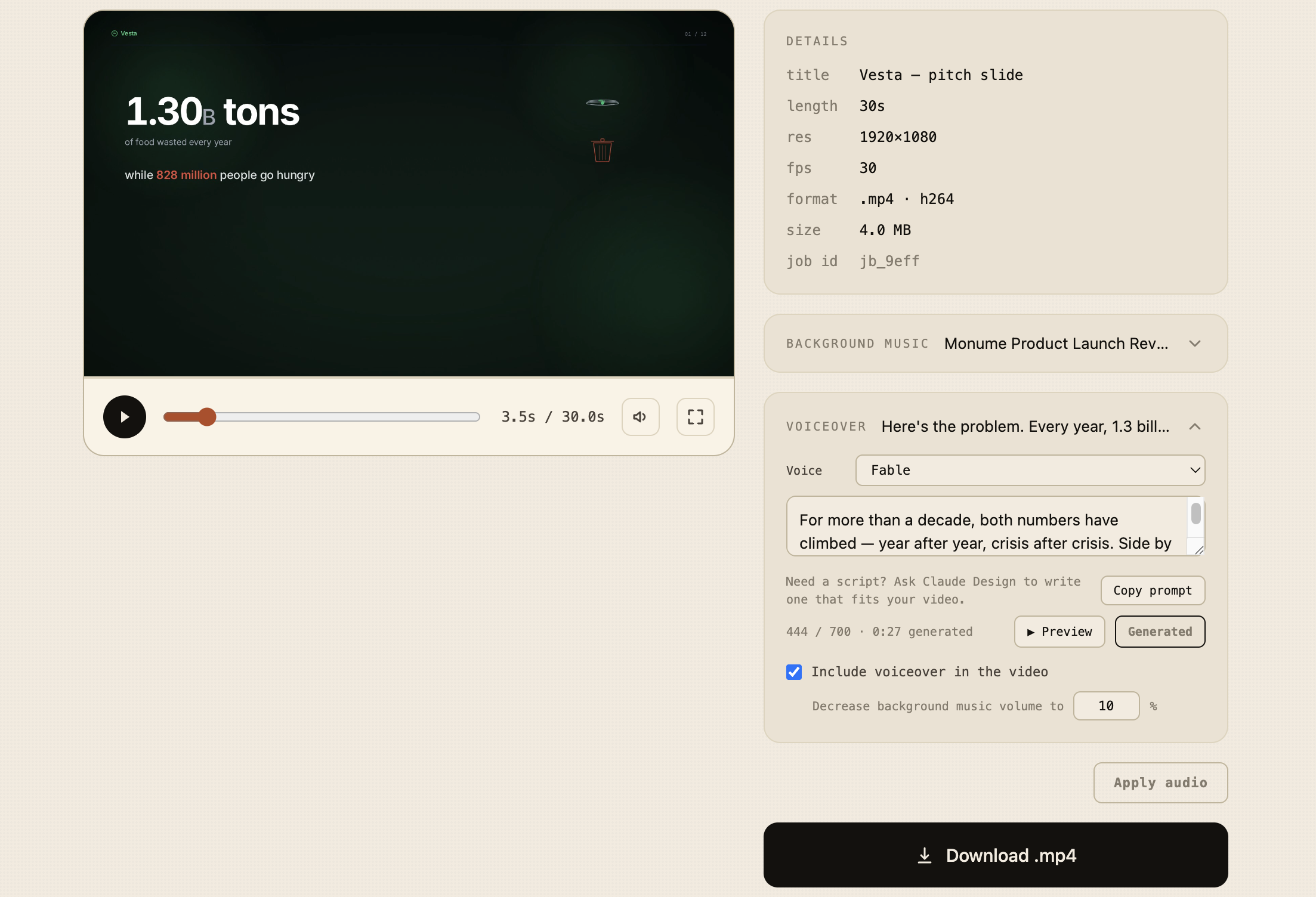 The export step: video preview, background music, voiceover script, one click to MP4.
Want the source? Grab the Claude Design project: vesta-pitch-slide.zip. Open it in Claude Design and fork the layout for your own pitch.
Try It Yourself
That's the flow. Put the MP4 in your cold investor email as a thumbnail (linking to a hosted version, not as an attachment), as the backup slide if your demo breaks at demo day, or in the LinkedIn post where you announce your raise.
Frequently Asked Questions
How long should an animated pitch deck video be? 30-60 seconds for cold outreach and social. Shorter and you can't fit problem, solution, and ask. Longer and most investors will scroll. The Vesta example is 30 seconds because it's a single problem-solution slide. A walkthrough that adds team, market, and traction is closer to 90, and that belongs on a page someone already clicked into.
Can investors tell it's AI-generated, and does it matter? Usually yes, and usually no. Investors care whether the founder has taste and tells a clear story, not which tool made the slide. Nobody passes on a deal because you used Claude instead of Adobe. A messy slide can still hurt you, but that's true regardless of how you made it.
When should I use a single animated slide vs a full deck video? Single slide (problem + solution + ask, around 30 seconds) for cold-traffic moments: investor cold email, the LinkedIn raise announcement, the first 10 seconds of demo day. Longer walkthroughs for warm audiences: portfolio updates, second meetings, post-demo-day recaps. Building a product launch instead? See the animated product demo walkthrough.